So one of our favourite quotes is;
The only thing worse than learning from your mistakes is not learning from them. Unknown Smart Person.
All development is a learning progression and that also includes the delivery and business mechanisms that are otherwise not so obvious.
The difference between Native Apps and Responsive Web Apps
Think of this as a three-layer landscape: platform constraints, user experience, and engineering trade-offs.
Native apps and responsive web apps sit in very different positions across these layers.
1) Platform Layer: Where the code runs
Native (iOS / Android)
- Built with platform-specific SDKs (Swift/Objective-C for iOS, Kotlin/Java for Android)
- Runs directly on the operating system
- Full access to device APIs (camera, Bluetooth, background tasks, sensors)
Implication:
You are tightly coupled to each platform’s ecosystem and release cycle.
Responsive Web App (HTML + CSS + JS)
- Runs inside a browser engine
- Uses standards like HTML5, CSS (media queries, flexbox/grid), JavaScript
- Indirect access to device features via browser APIs
Implication:
You are abstracted from the OS, but constrained by browser capabilities.
2) Experience Layer: What the user feels
Native
- UI matches platform conventions (Apple Human Interface / Material Design)
- Smooth animations, high frame-rate rendering
- Works offline naturally
- Can integrate deeply (notifications, widgets, background sync)
Strengths:
- Performance-critical apps (gaming, video editing)
- Highly polished UX
- Complex gestures and interactions
Responsive Web
- UI adapts via CSS breakpoints and layout systems
- Same codebase scales from phone → tablet → desktop
- Requires internet (unless enhanced with service workers)
Strengths:
- Instant access via URL (no install)
- Uniform experience across devices
- Easier iteration and updates
3) Engineering Layer: Cost, complexity, and velocity
Native
Pros
- Maximum performance
- Full hardware access
- Best-in-class UX
Cons
- Two separate codebases (iOS + Android)
- Higher development and maintenance cost
- App store approval processes slow iteration
Responsive Web
Pros
- Single codebase
- Faster deployment (no app store gatekeeping)
- Lower cost and smaller teams can build faster
Cons
- Limited hardware access
- Performance ceiling (especially for graphics-heavy apps)
- UX can feel less “native”
4) Scalability & Distribution
Native
- Distributed via app stores
- Requires user installation
- Discoverability tied to store algorithms
Web
- Distributed via URLs
- No install required
- SEO and link-sharing drive growth
5) Privacy and Payment
Native
- Marketplace based tracking
- Marketplace based payments
Web
- No usage tracking
- No payment tracking
6) A Practical Mental Model
Use this heuristic:
- If your app is experience-first and device-heavy → go Native
(e.g., games, AR, fitness tracking) - If your app is content-first or workflow-driven → go Web
(e.g., dashboards, SaaS tools, marketplaces)
7) The Middle Ground (Important)
Modern architectures often blend both:
- Progressive Web Apps (PWAs) → web apps with offline support + installability
- Cross-platform frameworks (React Native, Flutter) → one codebase, near-native performance
These exist because the trade-off space isn’t binary anymore.
Bottom Line
- Native = depth (performance, integration, polish)
- Responsive Web = breadth (reach, speed, simplicity, privacy)

The mistake
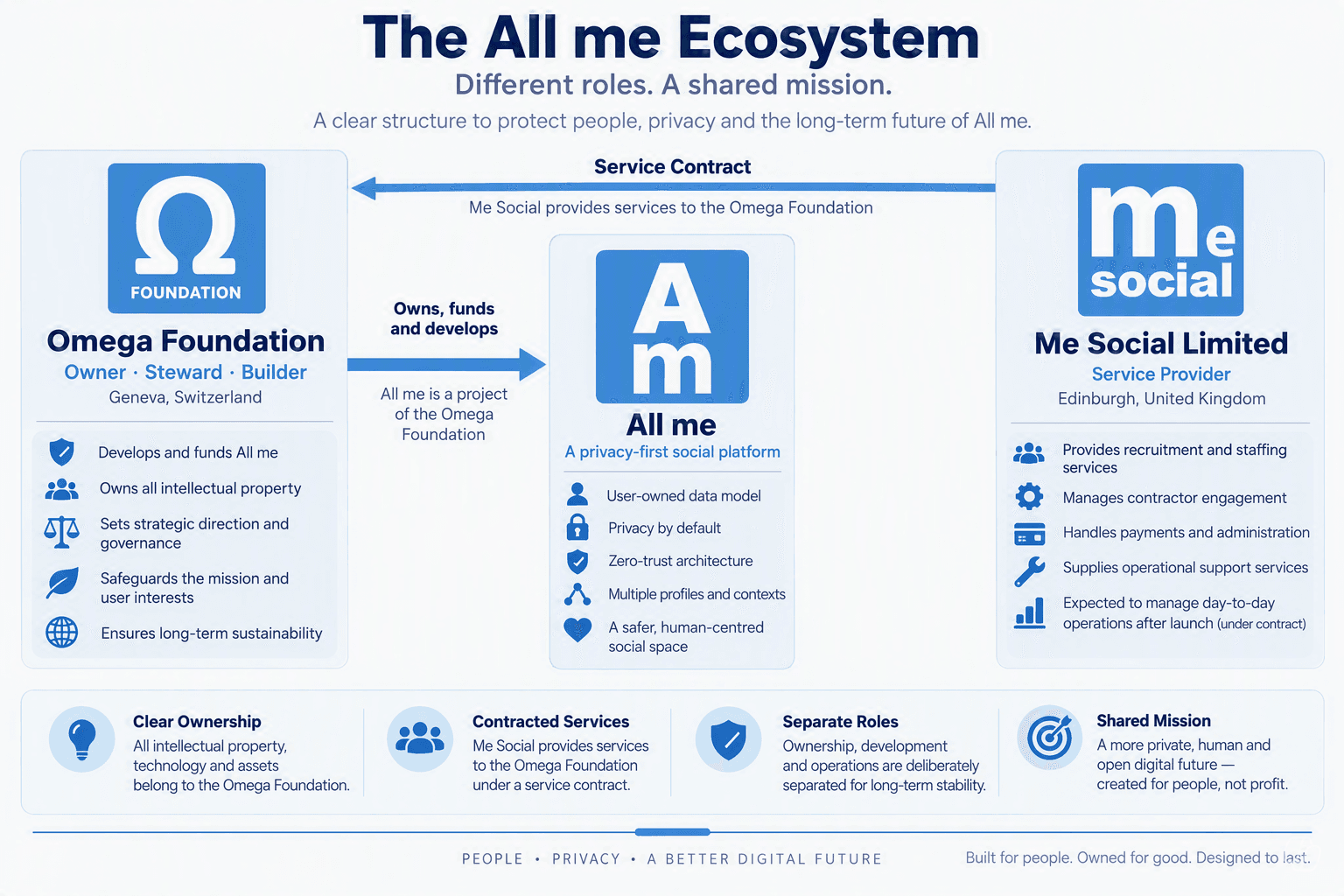
At the outset we decided the All me app, as well, an app and decided that it should be built as Native Apps for Android and iOS (Apple).
And that is exactly what we have spent months doing only to get to the commercial part and discover the use of either app marketplace will reveal who uses it and who pays for its services. This is totally counterproductive and the opposite of our unique proposition.
The resolution
We are about to start again from the beginning by building All me as a Responsive Web App which can be used by any mobile device through its web browser.